Keeping your machines secure is essential, especially when equipment is spread across multiple locations, job sites, or operators. With Remote PIN Access Control in JCB LiveLink, fleet managers can generate and manage machine access PINs remotely, helping to prevent unauthorised use while maintaining operational flexibility.
Whether you need to provide temporary access to a machine, control who can operate equipment, or strengthen site security, Remote PIN Access Control puts control directly in your hands.
WHY USE REMOTE PIN ACCESS CONTROL?
Remote PIN Access Control helps businesses:
IMPROVE SECURITY
Restrict machine operation to authorised users only, reducing the risk of theft, misuse, or unauthorised operation.
INCREASE OPERATIONAL CONTROL
Generate access codes remotely without needing to visit the machine, making it easier to manage operators across multiple locations.
REDUCE DOWNTIME
Provide operators with access when they need it, helping work continue without delays caused by manual key or security management.
MAINTAIN VISIBILITY
Track PIN requests and changes through the Access Control history, giving you a clear audit trail of machine access activity.
HOW IT WORKS
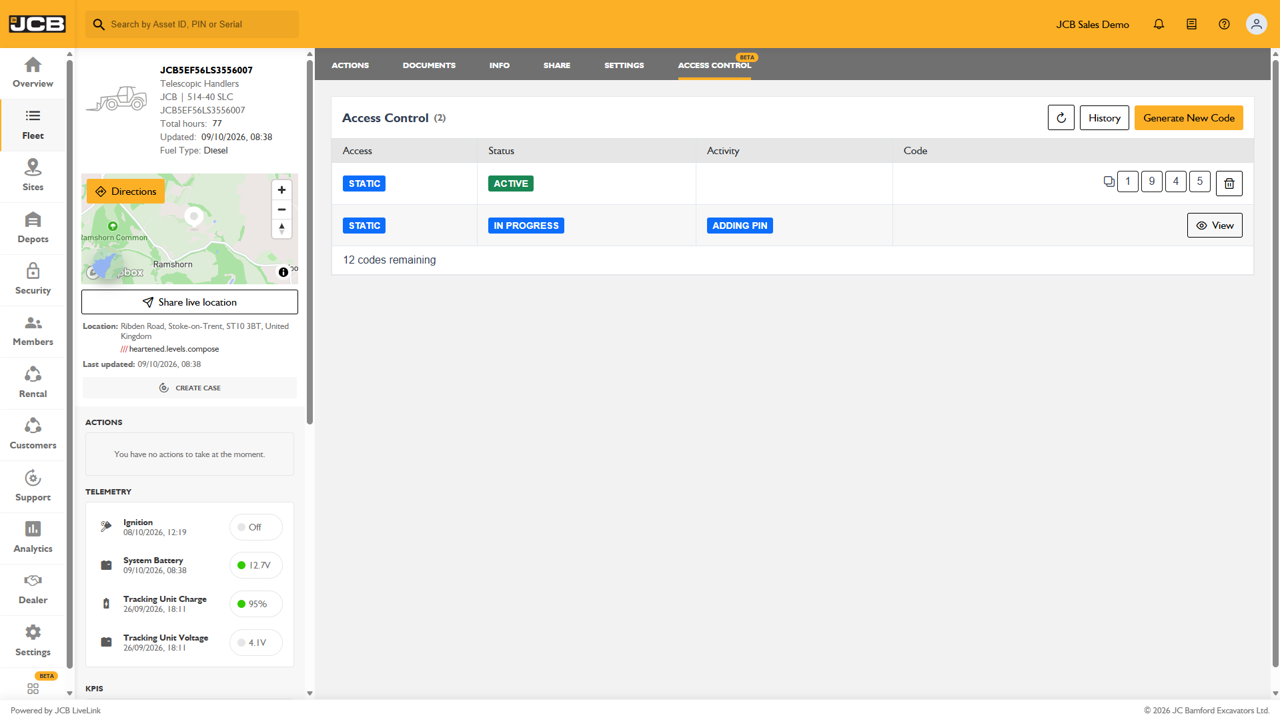
Within the Access Control section of LiveLink, authorised users can generate a new PIN remotely for a compatible machine.
Once requested, the system displays the status of the PIN operation, helping you monitor the process from creation through to activation.
Key features include:
- Generate PIN codes remotely from LiveLink.
- View active and pending PIN requests.
- Monitor the status of access control activities.
- Review historical access control actions.
- Manage operator access without travelling to the machine.
COMPLETE VISIBILITY OF ACCESS REQUESTS
The Access Control screen provides a clear overview of machine access permissions, including:
- Current active PINs.
- PINs awaiting activation.
- Remaining available codes.
- Access control activity status.
This allows fleet managers to quickly understand who has access to a machine and whether any access changes are currently being processed.
ACCESS CONTROL HISTORY
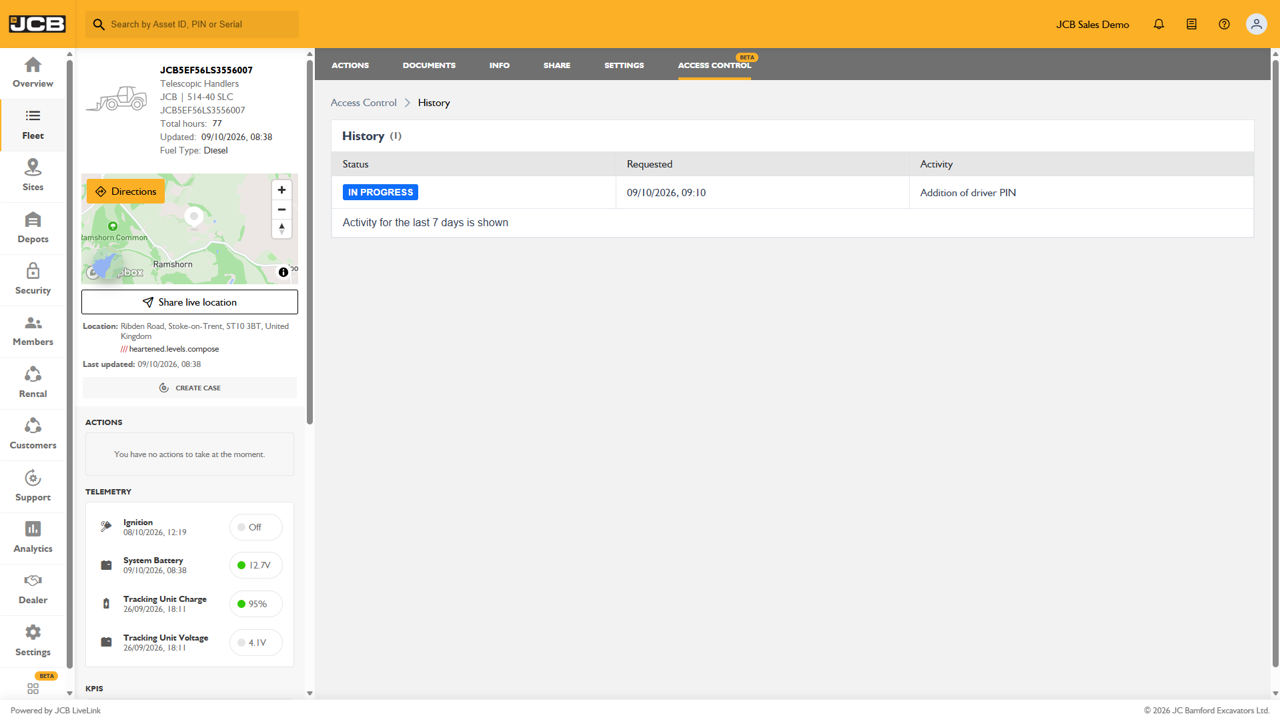
Every access control action is recorded within the History tab, providing visibility into activities such as:
- Addition of new driver PINs.
- PIN activation requests.
- Access control updates.
- Request status tracking.
This audit trail helps improve accountability and gives administrators confidence that machine access changes are being managed correctly.
GREATER CONROL WHEREVER YOU ARE
With LiveLink Remote PIN Access Control, machine security no longer relies solely on physical access to the machine. Administrators can securely manage operator access from anywhere, helping to protect assets, improve fleet control, and ensure machines remain available to the right people at the right time.
LEARN MORE
Discover how LiveLink's Remote PIN Access Control can help improve machine security and fleet management across your operation by contacting your local dealer today.