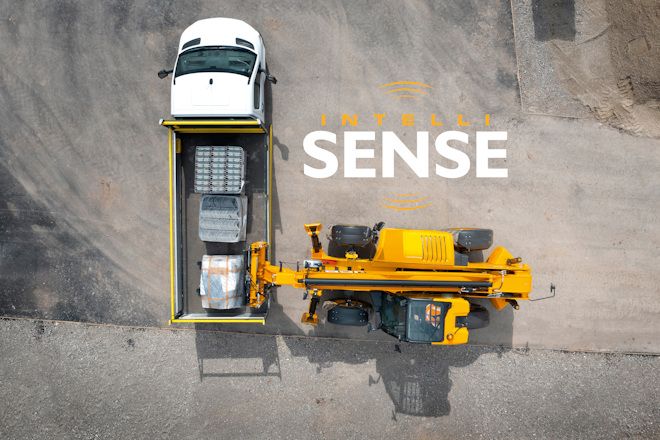
Compatible with the JCB 540-140, 540-180 and 535-125 construction telehandlers, JCB INTELLISENSE helps to protect both workers and pedestrians using AI cameras and telematics. This innovative technology enhances driver awareness of the vehicle’s surroundings, significantly reducing site incidents by alerting operators to pedestrians in high-risk areas. This allows operators to work safely without interruption, improving both productivity and efficiency.


POWERED BY LIVELINK
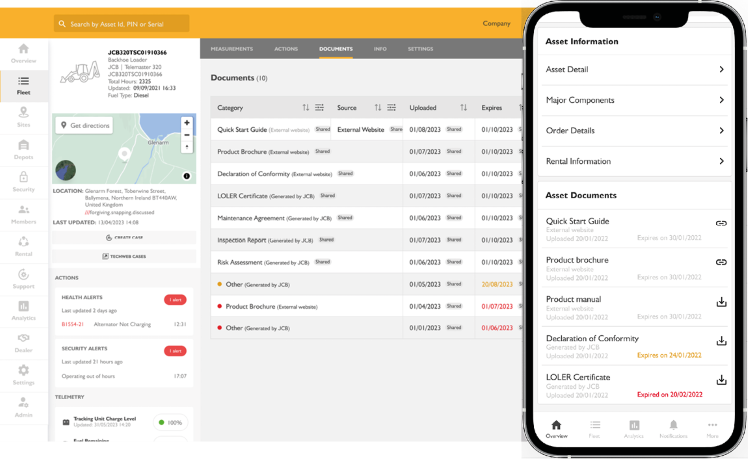
Human Form Recognition (JCB INTELLISENSE) is fully integrated with JCB LiveLink, providing fleet managers with visibility of safety events across connected machines without the need for frequent site visits or manual inspections.
All HFR alerts are securely recorded within LiveLink, allowing users to review incidents and gain valuable insights into site safety performance. Associated video footage can be accessed directly within the platform, helping teams investigate events and identify opportunities to improve site processes, operator behaviour, and hazard management.
Through LiveLink, fleet managers can:
- Monitor human detection and near-miss events across their fleet
- Review alert footage remotely
- Identify recurring safety risks and behavioural trends
- Support incident investigations with event-based video evidence
- Target operator training and site improvements where required
- Promote safer working environments across multiple locations
By combining intelligent camera technology with telematics, Human Form Recognition helps construction take a proactive approach to safety management while improving visibility of site activity.
API ACCESS
HFR event and video data is also available through the LiveLink API, enabling customers to integrate safety information directly into their own reporting, analytics, and operational systems.
The API documentation provides details on authentication, available parameters, and data retrieval methods.
AVAILABLE ENDPOINTS
- List Asset HFR Events
- List Asset HFR Videos
These endpoints allow customers to retrieve HFR alerts and associated video footage for use in external dashboards, reporting tools, and safety management workflows.
HOW TO GUIDE
JCB INTELLISENSE has been designed to integrate seamlessly with JCB LiveLink and is easy to do in a few steps:
VIEWING NEAR MISS ALERTS
- Navigate to the Overview tab in the LiveLink platform.
- Open the Alerts section.
- Use the alert type filter and select Safety Alerts.
- Review machines showing near miss events.
- Select View to open the machine page.
REVIEWING NEAR MISS EVENTS
- On the machine page, select the Safety tab.
- View a chronological list of near miss events.
- Events are automatically categorised as:
- Critical
- Major
- Minor
- Select View on an event to watch the associated video footage.
- Use the browser back button to return to the event list.
VIEWING JCB INTELLISENSE MACHINES
INTELLISENSE-equipped machines can be accessed from:
- The Fleet list.
- Safety alert notifications.
- Individual machine pages.
ANALYTICS & REPORTING
The Analytics tab provides:
- Total number of near miss events.
- Historical trends over time.
- Breakdown of:
- Critical human near misses
- Major human near misses
- Minor human near misses
FILTERING ANALYTICS DATA
Users can filter reports by:
- Date range (preset or custom)
- Individual machine
- Product group
- Location
LEARN MORE
Contact your local JCB dealer to arrange a demonstration and see how JCB INTELLISENSE and Human Form Recognition can help improve safety across your operation. You can also learn about compatiable machines on JCB.com