In today's fast-paced world, maximising efficiency has never been more crucial. JCB LiveLink offers more than just telematics; it provides you with the seamless management of individual machines or entire fleets, reducing administrative burdens and allowing you to focus on what truly matters... improving productivity.
Keeping your machine documents, certifications, insurance, and service history up to date and well-organised is essential for streamlining operations and ensuring uptime. Whether it's safety certifications, road registrations, warranty agreements, or risk assessments, LiveLink allows you to digitally store all your critical documents in a centralised location. What's more, it's not limited to predefined documents; you can upload any document that matters to you or a specific machine, guaranteeing you'll never misplace important information again. It doesn't just stop at JCB machines, you can get document expiry alerts on any machine that is integrated into LiveLink, regardless of brand.
WHAT'S NEW?
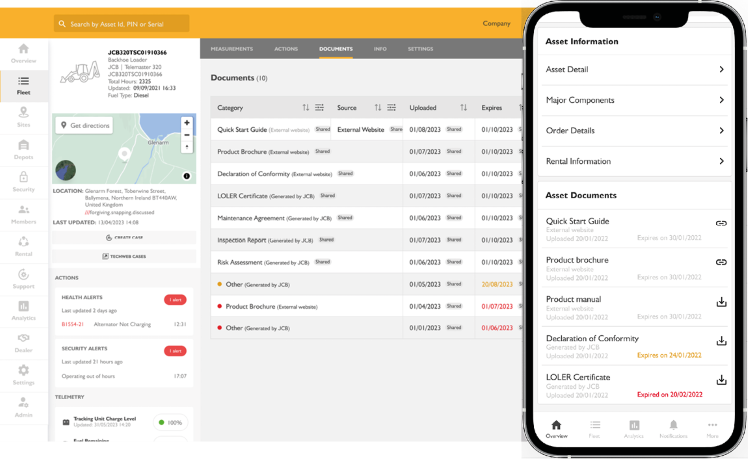
We've enhanced our document upload feature to offer you even more control. Now, each document upload can include an expiry date, providing you with full visibility regarding when each document is set to expire. Better yet, you'll receive an alert 7 days before the expiry date, ensuring you have ample time to renew your paperwork, giving you complete peace of mind.
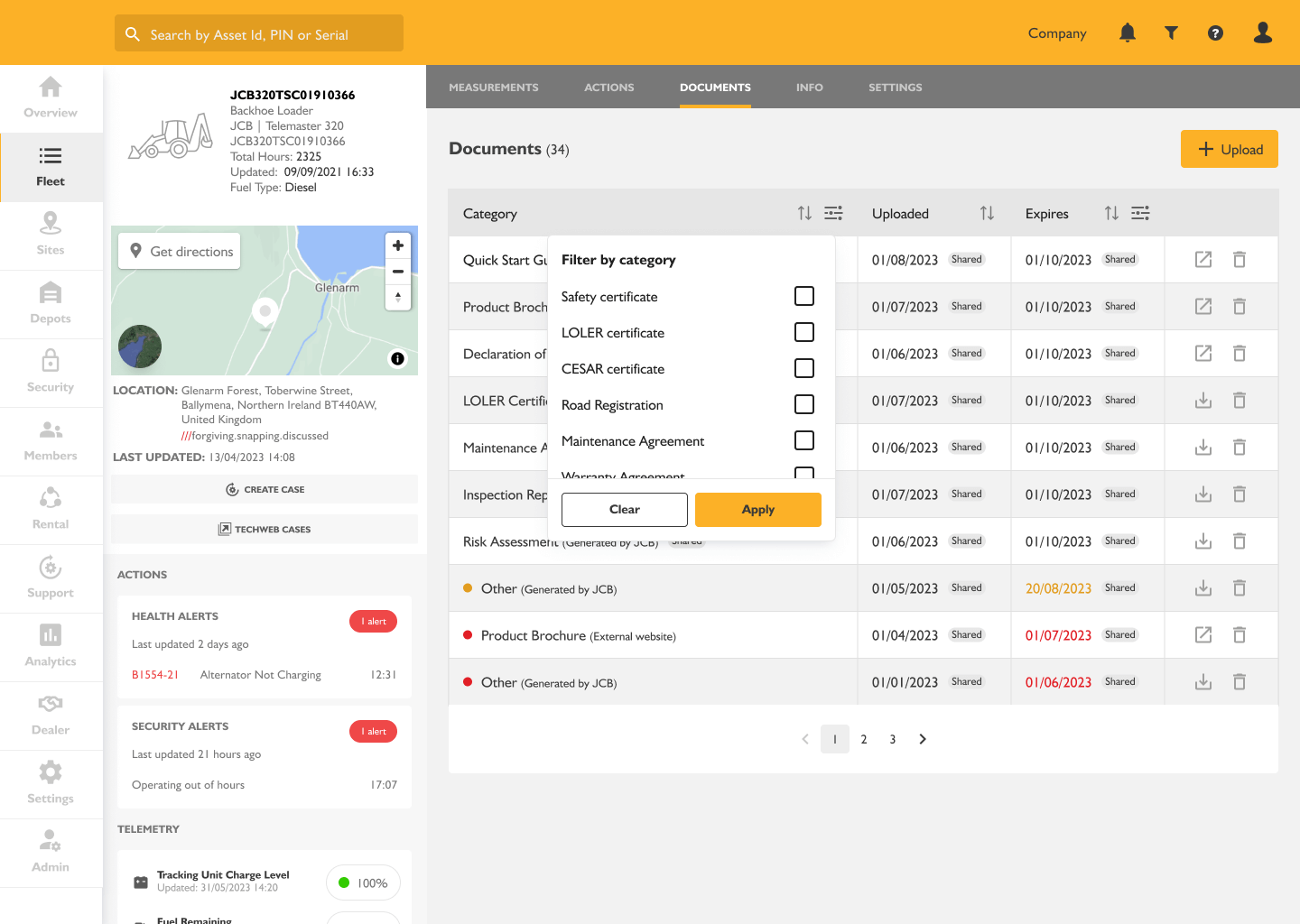
You can view all your machine documents at a glance in the table, with a colour code system highlighting which documents will soon expire. We’ve added a drag and drop feature so that columns can be reordered to suit each individual user and you can use the sort, and filter functionality to quickly find what you're looking for; making document management easier for all fleets including owner operators and mixed fleets.
These changes are available across LiveLink web, tablet and mobile.
WHERE CAN YOU FIND DOCUMENT MANAGEMENT IN LIVELINK?
Locating this feature is a breeze. Simply click on the fleet tab and select the machine for which you wish to upload documents. You'll find the 'Documents' option on the grey navigation bar. A quick click into 'Documents' and selecting the 'Upload' button is all it takes. Additionally, from this page, you'll have convenient access to the machine's Quick Start Guide, Product Brochure, Product Manual, and Declaration of Conformity, making it easier than ever to store all your crucial documents in one place for your advantage.
Make sure you're making the most of the latest features in your LiveLink account – Login Now.